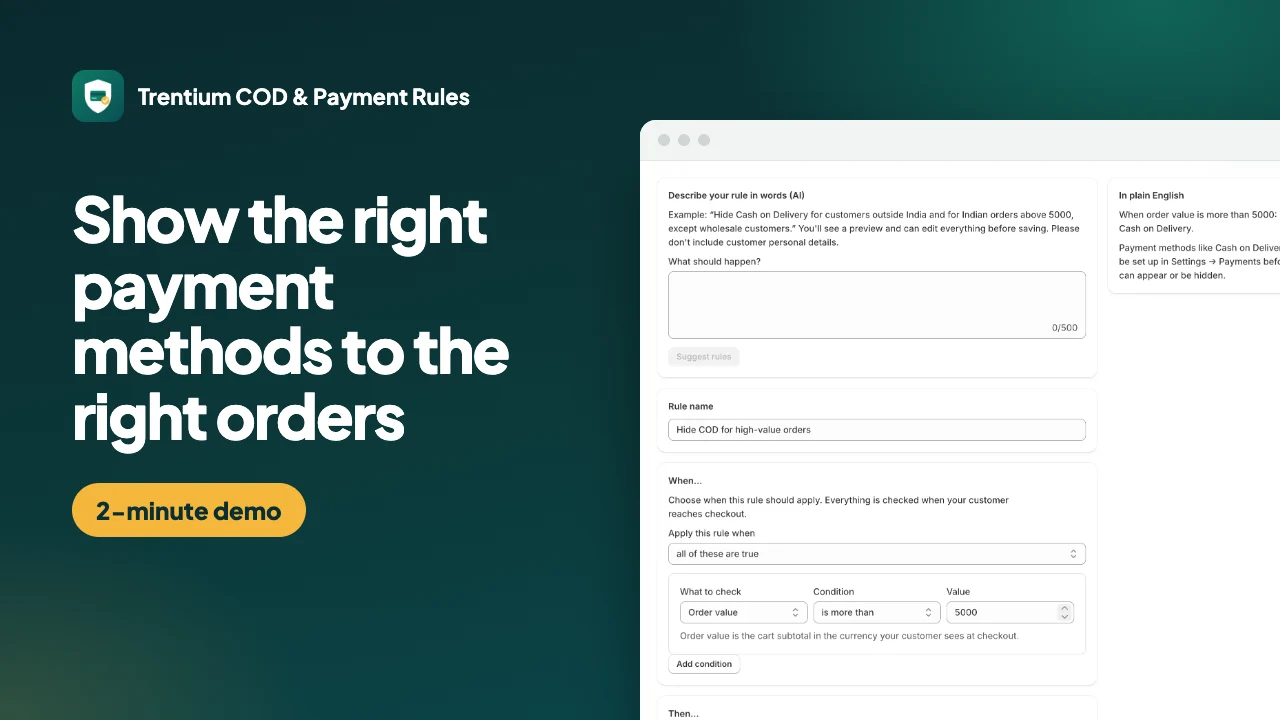
See it work in two minutes
Build a rule, watch Cash on Delivery disappear at a real checkout, test a sample cart and try the AI suggestion.
One payment list doesn’t suit every order
Shopify’s payment settings apply to your whole store. They can’t say “not for this order”.
Big Cash on Delivery orders carry more risk
If a large parcel is refused at the door, you pay the shipping both ways.
Not every method fits every country
A payment option that works in one market can confuse or fail in another.
Unclear names make buyers hesitate
“Manual payment” doesn’t tell a customer what happens next.
Rules that decide order by order
Your first rule takes a few minutes. No code, no theme edits, no support ticket.
Free plan with 3 active rules.
Pick a starter or describe it
Start from “Hide Cash on Delivery for big orders”, build your own, or type a sentence and let the AI suggest rules.
Read it back and test it
A plain-English summary shows what will happen. Try a sample cart in the rule tester.
Save and enable
Shopify applies the rule at checkout within seconds. Change or switch it off whenever you like.
Decide when each payment method appears
Combine conditions with “all of these” or “any of these”, then choose what happens to the method.
- Cart
- Order value, number of items, total weight in kilograms, and checkout currency.
- Delivery
- Delivery country, in or not in your list.
- Products
- Product tags and SKUs in the cart.Pro
- Customer
- Logged in or guest, customer tags, and company (B2B) orders.Pro
- Then
- Hide a method, rename it, or move it to a position. Hiding wins if two rules clash, and one payment method always stays.
What your customers see
The same product, the same checkout. Only the order is different. Click any image to enlarge it.
And what you see in the app
Choose when it applies and what happens. The summary says exactly what your customers will see.
Built so checkout never depends on us
It runs inside Shopify
Rules are published to your store and run as part of checkout. There is no call to our servers while your customer pays.
It keeps working if we don’t
If our servers were offline, your published rules would still apply. We tested checkout with the backend switched off.
It fails safe
A broken or unknown rule never blocks checkout, and the app never hides every payment method.
Pricing
Start free. Billing goes through Shopify, and you can change plan any time without reinstalling.
Free
$0 a month
- 3 active rules
- Order value, items, country, weight and currency conditions
- Hide, rename and reorder
Basic
$4.99 a month
- Up to 10 active rules
- Rule tester
- AI rule suggestions (50 a month)
Pro
$9.99 a month
- Up to 100 active rules
- Customer tag, product tag, SKU and company (B2B) conditions
- AI rule suggestions (200 a month)
Prices are in US dollars. Downgrading switches extra rules off and never deletes them.
Questions merchants ask
Will it slow down my checkout?
No. Your rules are stored inside Shopify and run as part of checkout. Nothing calls our servers while a customer pays.
What happens if your servers go offline?
Published rules keep working, because Shopify runs them. You would only be unable to edit rules until we are back.
Do you store my customers’ personal data?
No. We store your rules and your shop’s basic details. Checkout facts such as country, cart value and tags are used by Shopify at checkout and never sent to us.
Can it hide every payment method?
Never. If your rules would hide every method, the app leaves the list alone so customers can always pay.
Can it add a Cash on Delivery fee?
No. It changes whether a method is shown, what it is called and the order of the alternatives. Shopify keeps the card form at the top.
Can I test a rule before customers see it?
Yes. Save it disabled, try a sample cart in the rule tester (Basic and Pro), then switch it on.
What if I downgrade or uninstall?
On a lower plan the extra rules are switched off, never deleted. If you uninstall, checkout returns to showing every payment method.
Show the right payment methods to the right orders
Add the app from the Shopify App Store and build your first rule today.
Add to ShopifyFree plan with 3 active rules. Change plan or uninstall any time from your Shopify admin.